

Notifications
Choose which emails you get and how often digests arrive.
Verbolica tells you when something needs your attention, such as a draft ready for review, a comment, an approval decision or a publishing problem.
In the app
The bell icon in the header shows unread notifications. In-app notifications always arrive, whatever your email settings.
Go to Settings → Notifications to choose:
- which types of notification you get by email
- whether you get a daily digest, a weekly digest, or both, and which day the weekly one arrives
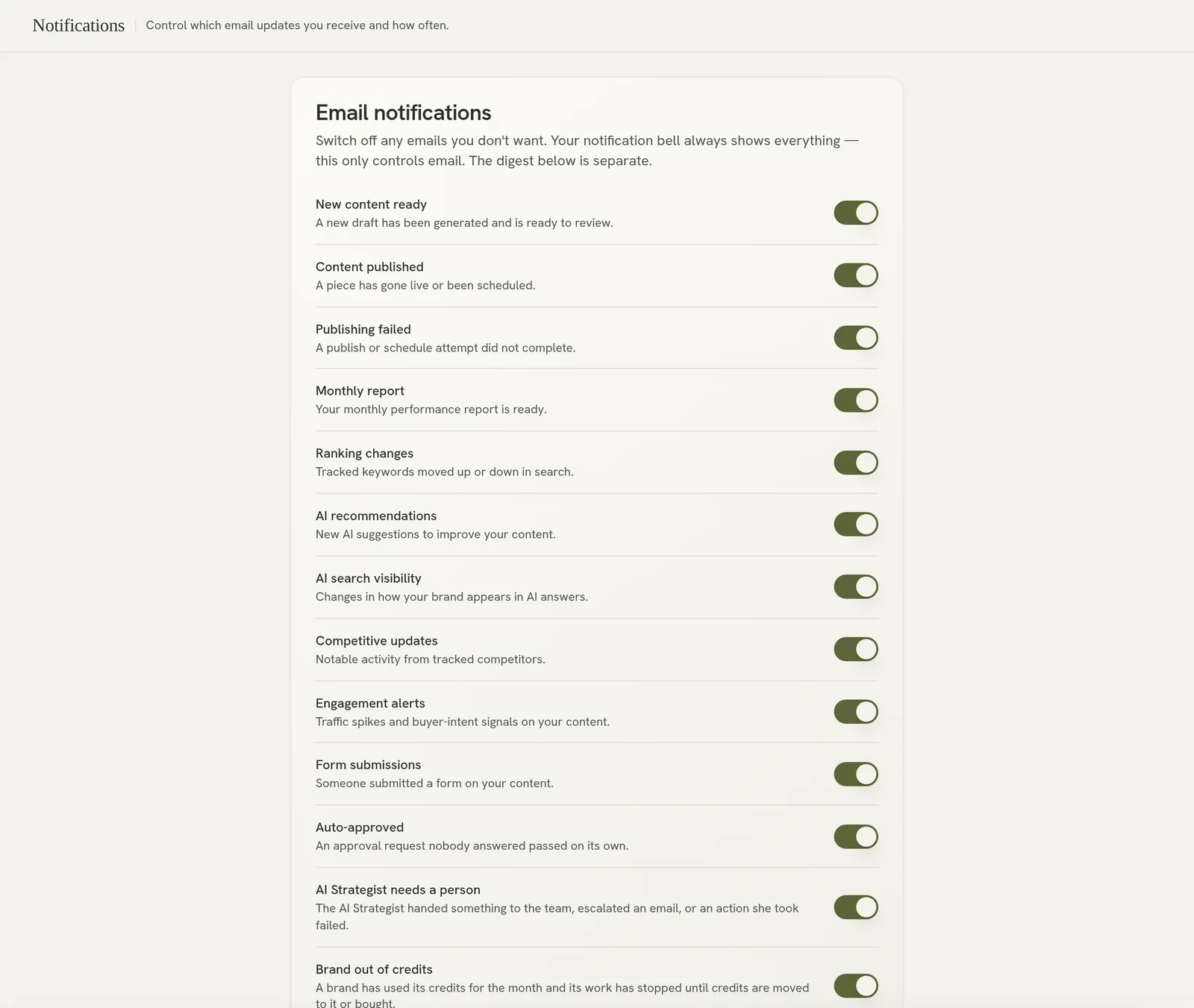
Everyone, including clients, can set their own preferences.
Google Chat
If your workspace uses Google Chat, Verbolica can post to a Chat space: publishing results, ranking changes and engagement spikes. You can also talk to the Strategist from Chat. See Google Chat.
Not getting emails?
Check your spam folder, and check Settings → Notifications to make sure the type is switched on.