

Creating drafts
Turn a planned topic into a finished draft, by button or by asking.
A draft is any piece of content in progress. Drafts start as a topic (just a title) and become written content when they're generated or written by hand.
Generate a draft
Open the topic from its campaign or from Overview and click Generate. Verbolica writes it using:
- the brand's voice, audiences, products and brand knowledge
- keyword data and what currently ranks for the topic
- how the brand's related pages perform in Search Console and Analytics
- the brand's real list of published pages, so internal links point to pages that exist
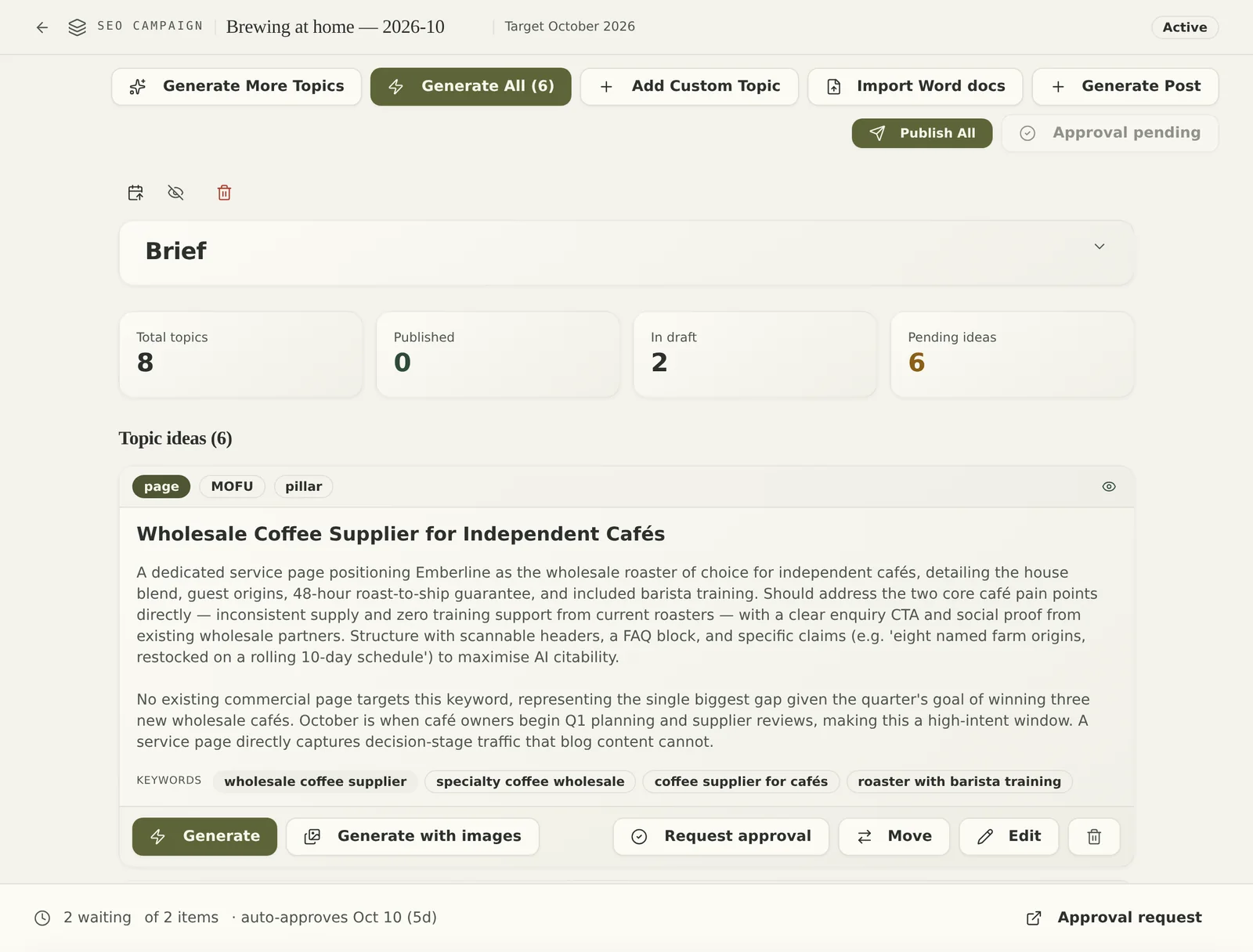
Blog posts and pages come with an SEO title, meta description, internal links and, if enabled, an AI-generated image in the brand's style.
Ask the Strategist to write it
From the chat, say what you want, for example:
Write a blog post about choosing a commercial roofing contractor, aimed at facility managers.
The Strategist writes it in the brand voice and files it as a normal draft. See Ask the Strategist.
Write it yourself
Every channel accepts your own content. Add a custom topic and switch on Write the content myself (on social), or paste or type into the draft editor. For finished Word documents, use Import Word docs on a Search campaign.
Credits
Generating content spends the brand's credits. Writing or importing your own content does not. See Credits.
Tip: Approve topics before writing
For larger plans, send the topic list for approval first. Topics that come back approved are written next, so nothing is written that the client doesn't want.