

Scheduling and publishing
How approved content gets onto the website and social channels.
Publish to WordPress
Approved drafts publish to the brand's WordPress site through the Verbolica Connect plugin. You can:
- Publish now: send it to the site straight away.
- Schedule for later: pick a date. Verbolica checks for scheduled content every hour and publishes it when its date arrives.
Posts publish with their categories, tags, featured image, author and SEO title and description.
The Schedule calendar
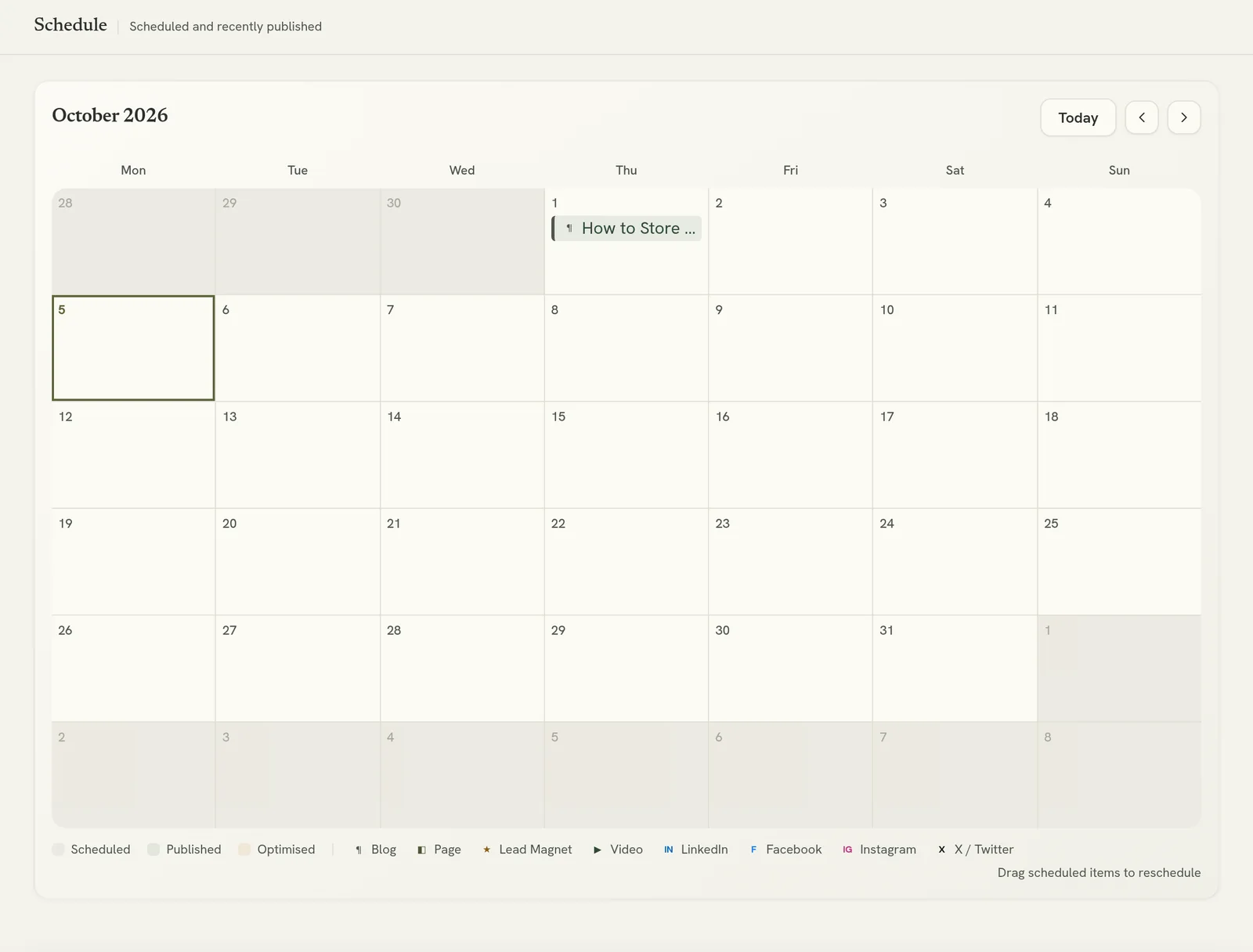
Management → Schedule shows every scheduled item on a month calendar, colour-coded by status. Drag an item to a new day to reschedule it. You can't schedule into the past.
The Keep publishing to weekdays setting on the Automation page stops automatic scheduling from landing on weekends.
Changing published content
If you edit a draft after it's published, the draft shows that it's out of sync with the website. Click Update on WordPress to push the change.
If the brand requires approval for live updates, you'll be asked to request approval instead, and the change goes live once it's approved.
Social posts
Approved social posts publish to the brand's connected social accounts at their scheduled time. Once a post is live, Verbolica shows a link to it.
Verbolica doesn't send email. Emails are designed in Verbolica and exported as HTML for your own email platform. See Email campaigns.
If something fails
Failed publishes show on the draft with the reason. The most common causes are a firewall blocking Verbolica or an outdated plugin. See WordPress publishing problems.