

Automation
Decide what Verbolica does on its own and what waits for a person.
Each brand's Automation page (Brand Settings → More brand settings → Automation) controls how much happens without a person.
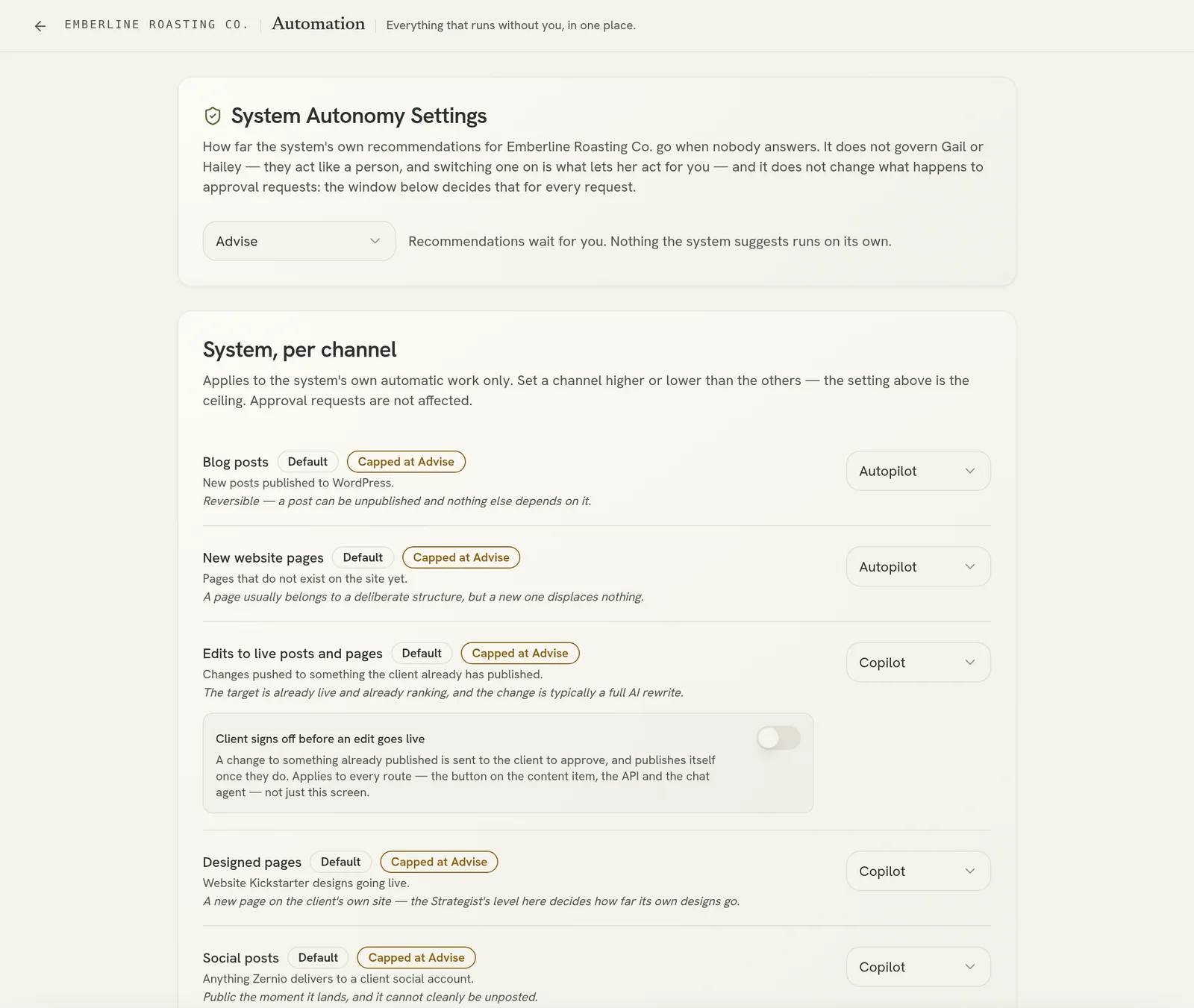
Autonomy level
Choose one of three levels for the Strategist's recommendations:
| Level | What happens |
|---|---|
| Advise | Recommendations wait for you. Nothing the system suggests runs on its own. |
| Copilot | A recommendation nobody dismisses within the window is written and sent for approval, and waits for a person to approve it. |
| Autopilot | A recommendation nobody dismisses within the window is written and sent for approval, and goes ahead if nobody answers. |
You can set a default level and override it per channel. Turning the level down cancels anything waiting to run.
What silence means
Controls approval requests that nobody answers:
- Approvals pass on their own: when on, an unanswered request is approved after the number of days you choose.
- Days before a request passes: from 0 to 30. At 0, requests pass at the next daily check, which is fully automated. A reminder goes out after 3 days if the window is long enough.
See Approvals.
What the automation is allowed to do
- Keep publishing to weekdays: automatic scheduling never picks a Saturday or Sunday.
- Illustrate AI-written posts: adds an AI-generated image, in the brand's style, to posts the Strategist writes.
Approvers
The Approvers card sets who is asked to approve this brand's work. See Approvals.
Autopilot combined with auto-approval means content can go live with no human reading it. Use it only with a client who has agreed to that.